When I find it hard to focus, I use the Pomodoro technique (& why I use Focus Tomato 2 app)


For those not familiar with the term, the Pomodoro technique is a time management technique that breaks work down into intervals (traditionally 25 minutes), separated by short breaks. Goal: to maintain high focus, and prevent mental fatigue. I started using this technique during the pandemic, when I was finding it incredibly difficult to focus on creativestuff for more than a few minutes before feeling compelled to doomscroll headlines or social media. I started with an embarrassingly short interval (5 minutes, I think) but have gradually increased to 20 min since then.
To those who use social media a lot, I strongly encourage you to try timing yourself (you don't need an app, just any kind of timer): Pick any kind of focused task, set a timer to 10 min. Are you able to JUST focus on that one task before your timer goes off? If not, set the timer for shorter. When I did this test on myself partway through the pandemic, I was horrified at how often I started to automatically go to check social media or headlines before the timer went off. That was a big wake-up call for me, that I needed to learn how to FOCUS again.

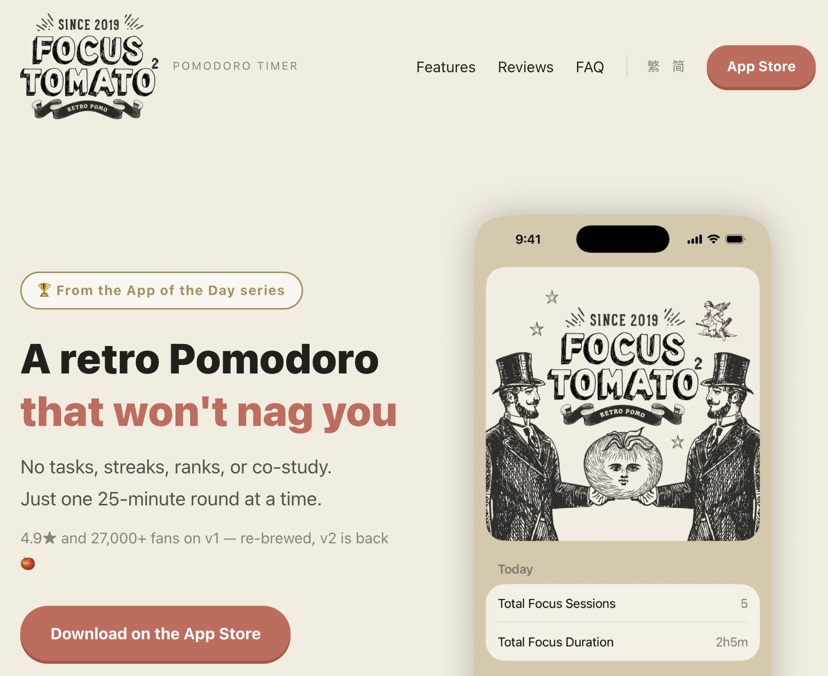
After trying out a zillion Pomodoro apps and methods, I settled on Focus Tomato (now Focus Tomato 2) by Claus Huang Design. Note: I just noticed that the same designer made another Pomodoro app, geared toward "study, focus, and ambient sounds."
What I love about Focus Tomato 2:
- Minimalist design.
- Retro and quirky art.
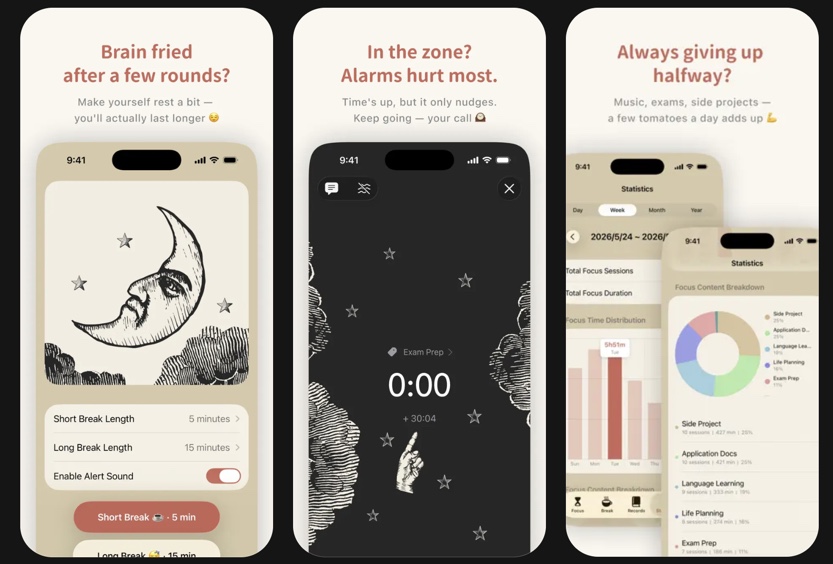
- Easy to customize the timing of focus sessions and breaks. If I'm having trouble focusing on a certain day, for example, I'll set focus sessions for shorter. If my tendinitis is acting up, I'll set my breaks for longer. I
- Choice of ambient sounds that play while I'm writing (I usually opt for Coffee Shop) or no sound at all. I use this when I'm writing in different environments; I put on my headphones, and it helps blur out other background conversations or noises etc.
- Gentle nudging. At the end of a Focus session, I will get a gentle ping BUT I can keep writing longer if I want to...and that writing time is recorded.
- Stats. I can see how well I do over time, cumulative focus time, etc. This kind of tracking helps keep me honest (if I'm honest when focusing, that is) and can be a good wake-up call, showing me how much time I ACTUALLY focus on writing.
Link to app: https://claushuang.com/focusTomato2/en/
Be warned it's only available for those using the Apple ecosystem.
Anyone else use the Pomodoro method sometimes?

Find out more about Debbie at DebbieOhi.com, or browse her social blogs.